Table of Contents
Quick Comparison Table
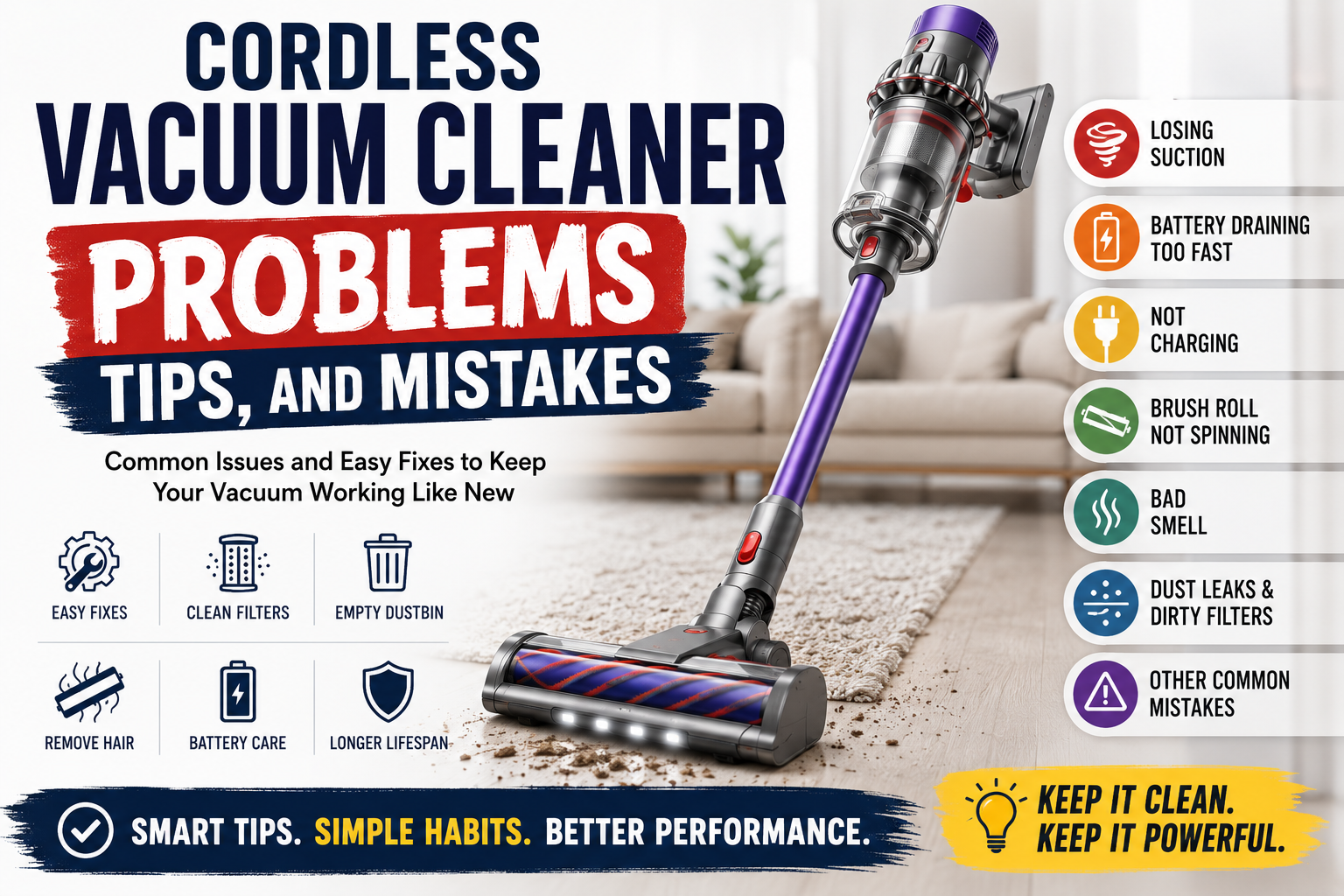
If you are dealing with cordless vacuum cleaner problems, the issue is often easier to fix than it looks. Many common problems come from clogged filters, a full dustbin, tangled hair around the brush roll, blocked airflow, poor charging contact, or using max mode too often.
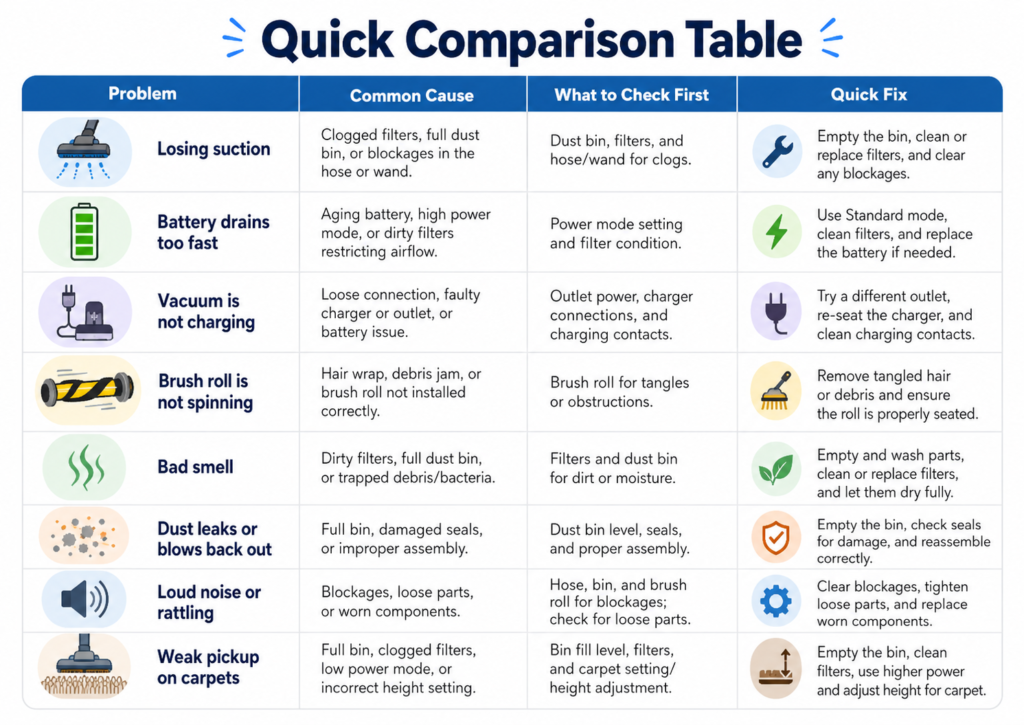
This quick comparison table helps you quickly identify the most common cordless vacuum cleaner problems and what to check first before replacing your vacuum, buying a new battery, or assuming the motor is broken.
| Problem | Common Cause | What to Check First | Quick Fix |
|---|---|---|---|
| Losing suction | Clogged filter, full dustbin, blocked tube, or dirty brush roll | Filter, dustbin, wand, floor head, and airflow path | Empty the dustbin, clean the filter, remove blockages, and check the brush roll. |
| Battery drains too fast | Using max mode too often, aging battery, or cleaning thick carpets | Power mode, battery age, charger, and floor type | Use standard mode for light cleaning and save max mode for carpets or pet hair. |
| Vacuum is not charging | Loose charger connection, dirty charging contacts, bad outlet, or battery issue | Charging dock, cable, wall outlet, battery contacts, and indicator lights | Reconnect the charger, clean the contacts, test another outlet, and check the manual. |
| Brush roll is not spinning | Hair wrap, debris blockage, floor head issue, or motorized tool problem | Brush roll, end caps, floor head, and attachment connection | Remove tangled hair, clear debris, and make sure the cleaner head is locked in place. |
| Bad smell | Dirty dustbin, damp filter, trapped pet hair, or old debris buildup | Filter, dustbin, brush roll, and seals | Wash washable parts correctly, let filters dry fully, and remove old debris. |
| Dust leaks or blows back out | Filter not seated correctly, cracked dustbin, loose seal, or overfilled bin | Filter position, dustbin seal, max fill line, and bin latch | Reinstall the filter, empty the bin, and check for damaged seals or cracks. |
| Loud noise or rattling | Blocked airflow, loose part, hard debris, or brush roll obstruction | Wand, floor head, brush roll, dustbin, and attachments | Turn off the vacuum, remove blockages, and check if any part is loose. |
| Weak pickup on carpets | Low suction mode, dirty brush roll, worn brush, or wrong floor head | Power mode, cleaner head, brush roll, and carpet pile height | Use a higher power mode, clean the brush roll, and check if the head is suitable for carpet. |
Quick takeaway: before assuming your cordless vacuum is broken, check the filter, dustbin, brush roll, airflow path, battery mode, and charging contacts. These simple checks solve many cordless vacuum cleaner problems without needing a new vacuum.
Common Cordless Vacuum Cleaner Problems and Quick Fixes

Most cordless vacuum cleaner problems are not caused by a completely broken vacuum. In many cases, the issue comes from clogged filters, a full dustbin, tangled hair around the brush roll, blocked airflow, poor charging contact, or using the wrong power mode for the cleaning task.
Before replacing your cordless vacuum cleaner or buying a new battery, start with the simple checks. Empty the dustbin, clean the filter, inspect the brush roll, check the wand for blockages, and make sure the charger is connected properly. These steps can solve many common problems without needing a new vacuum.
| Problem | Possible Cause | Quick Fix |
|---|---|---|
| Weak suction | Clogged filter, full dustbin, blocked wand, or dirty cleaner head | Empty the dustbin, clean or replace the filter, and check the airflow path. |
| Battery drains too fast | Using max mode too often, old battery, or heavy carpet cleaning | Use standard mode for daily cleaning and save max mode for carpets, rugs, and pet hair. |
| Vacuum is not charging | Loose charger, dirty charging contacts, bad outlet, or battery issue | Reconnect the charger, clean the contacts, test another outlet, and check the manual. |
| Brush roll is not spinning | Hair wrap, debris jam, or cleaner head not attached correctly | Turn off the vacuum, remove tangled hair, clear debris, and reattach the cleaner head properly. |
| Bad smell | Dirty dustbin, damp filter, trapped pet hair, or old debris buildup | Wash washable parts correctly and let filters dry completely before reinstalling. |
| Dust leaking | Overfilled dustbin, loose seal, cracked bin, or filter installed incorrectly | Empty the bin, reinstall the filter, and check seals, latches, or cracks. |
If your cordless vacuum cleaner is losing suction, check the filter first. A clogged filter restricts airflow and makes the vacuum feel weaker, even if the motor is still working. After that, inspect the dustbin, wand, hose, and cleaner head for dust clumps, pet hair, paper, crumbs, or small debris.
If the battery drains quickly, look at how often you use max or boost mode. Higher suction modes are useful for carpets, rugs, pet hair, and heavier debris, but they use much more battery. For hard floors, light dust, and quick cleanups, standard mode is usually enough.
If the vacuum is not charging, do not assume the battery is dead right away. Check whether the charger is fully plugged in, the wall outlet works, and the charging contacts are clean. Dust or debris on the charging contacts can sometimes prevent a proper connection.
If the brush roll stops spinning, turn off the vacuum before checking it. Hair, string, carpet fibers, or pet fur can wrap around the brush and stop it from rotating. A blocked brush roll can reduce pickup performance and put extra strain on the motorized cleaner head.
If the vacuum smells bad, the problem is usually old debris, trapped pet hair, or a damp filter. Wash only the parts that the manufacturer says are washable, and let everything dry fully before putting it back together. Reinstalling a wet filter can cause odor and may affect performance.
Quick rule: check the dustbin, filter, brush roll, wand, floor head, power mode, and charging contacts before assuming your vacuum is broken. These basic steps can fix many cordless vacuum cleaner problems and help your vacuum last longer.
Why Your Cordless Vacuum Cleaner Is Losing Suction
One of the most common cordless vacuum cleaner problems is losing suction. When a cordless vacuum starts picking up less dust, crumbs, pet hair, or debris than before, many people assume the motor is failing. However, weak suction is usually caused by restricted airflow, a clogged filter, a full dustbin, or debris wrapped around the brush roll.
A cordless vacuum cleaner needs a clear airflow path to work properly. Air must move through the cleaner head, wand, dustbin, filter, and exhaust area. If any part of that path is blocked, suction can drop quickly, even if the vacuum still turns on and sounds normal.
Clogged Filters and Dustbin Blockage
The first thing to check is the filter. A dirty or clogged filter can restrict airflow and make the vacuum feel much weaker. If your cordless vacuum has a washable filter, clean it according to the manufacturer’s instructions and let it dry completely before reinstalling it. Never put a wet filter back into the vacuum.
The dustbin is another common reason for suction loss. If the bin is too full, airflow cannot move properly through the vacuum. Empty the dustbin before it reaches the max fill line, especially when cleaning pet hair, carpet dust, fine debris, or larger crumbs.
| Area to Check | What Can Go Wrong | What to Do |
|---|---|---|
| Filter | Dust buildup restricts airflow | Clean or replace the filter based on the manufacturer’s instructions. |
| Dustbin | Overfilled bin blocks airflow | Empty the bin before it reaches the max fill line. |
| Wand or tube | Debris, paper, hair, or clumps block the path | Remove the wand and check for visible blockages. |
| Floor head | Dirt buildup reduces pickup performance | Inspect the cleaner head and remove trapped debris. |
If suction is still weak after cleaning the filter and dustbin, remove the wand or extension tube if your model allows it. Look through the tube and check for clumps of dust, pet hair, paper, small toys, food crumbs, or other debris. Even a partial blockage can make the vacuum feel much weaker.
Hair Wrapped Around the Brush Roll
Hair wrapped around the brush roll is another major reason a cordless vacuum cleaner loses suction and pickup performance. This is especially common in homes with long hair, pets, rugs, or carpeted areas. When hair builds up around the brush, the brush roll may spin more slowly or stop picking up debris effectively.
Turn off the vacuum before checking the brush roll. Remove the cleaner head if your model allows it, then cut away hair, string, carpet fibers, or thread wrapped around the brush. After cleaning it, make sure the brush roll spins freely and the cleaner head is properly attached before using the vacuum again.
If your vacuum still has weak suction after checking the filter, dustbin, wand, and brush roll, the issue may be a worn filter, damaged seal, cracked dustbin, aging battery, or a part that needs manufacturer support. At that point, check the user manual or contact the brand before buying replacement parts.
Quick takeaway: when a cordless vacuum cleaner is losing suction, start with airflow. Check the filter, dustbin, wand, floor head, and brush roll before assuming the motor or battery is the problem.
Battery Draining Fast or Not Charging Properly

Another common issue in cordless vacuum cleaner problems is fast battery drain or charging trouble. If your vacuum runs for only a few minutes, shuts off quickly, or does not charge properly, the battery may not be the only reason. Power mode, floor type, clogged filters, dirty charging contacts, and charging habits can all affect runtime.
Before buying a replacement battery, check how you are using and charging the vacuum. Cordless vacuums usually lose battery faster when used on max or boost mode, thick carpets, rugs, pet hair, or heavy debris. If the airflow is blocked by a dirty filter or full dustbin, the motor may also work harder and drain power faster.
Max Mode, Old Batteries, and Charging Habits
Max mode gives stronger suction, but it also uses battery power much faster. This mode is useful for carpets, rugs, pet hair, and stubborn debris, but it should not be used for every cleaning task. For hard floors, crumbs, dust, and quick daily cleaning, standard or eco mode is usually enough.
If your cordless vacuum battery used to last longer but now drains quickly, the battery may be aging. Rechargeable batteries naturally lose capacity over time, especially after many charging cycles. However, weak runtime can also happen when the filter is clogged, the dustbin is full, or the vacuum is constantly used on high power.
| Battery or Charging Problem | Possible Cause | What to Check | Quick Fix |
|---|---|---|---|
| Battery drains too fast | Using max mode too often | Power mode setting | Use standard or eco mode for light daily cleaning. |
| Runtime drops suddenly | Clogged filter or blocked airflow | Filter, dustbin, wand, and cleaner head | Clean the filter, empty the bin, and remove blockages. |
| Vacuum stops after a few minutes | Old battery, overheating, or heavy cleaning load | Battery age, floor type, filter condition, and power mode | Let the vacuum cool down, clean airflow parts, and avoid nonstop max mode. |
| Vacuum is not charging | Loose charger, dirty contacts, bad outlet, or battery issue | Charging dock, cable, wall outlet, and charging contacts | Reconnect the charger, clean the contacts, and test another outlet. |
| Charging light does not turn on | Poor connection or charger problem | Power adapter, dock position, battery connection, and indicator lights | Reseat the vacuum on the dock and check the user manual for light signals. |
If your vacuum is not charging, start with the simple checks. Make sure the charger is plugged in firmly, the outlet works, and the vacuum is seated correctly on the dock. If your model has visible charging contacts, wipe them gently with a dry cloth to remove dust or buildup.
If the vacuum gets hot and shuts off, stop using it and let it cool down. Overheating can happen when airflow is blocked, the filter is dirty, the dustbin is overfilled, or the vacuum is used on max mode for too long. After it cools down, check the filter, bin, wand, and floor head before using it again.
Good charging habits can also help battery life. Avoid storing the vacuum in extreme heat or cold, and follow the manufacturer’s instructions for charging and storage. If the battery is removable, use only compatible replacement batteries recommended for your model.
Quick takeaway: when a cordless vacuum battery drains fast or does not charge properly, check the power mode, filter, dustbin, airflow path, charging contacts, charger, and outlet before assuming the battery is dead.
Brush Roll Not Spinning or Picking Up Debris
Another common issue in cordless vacuum cleaner problems is a brush roll that stops spinning or does not pick up debris well. When this happens, the vacuum may still turn on and produce suction, but crumbs, pet hair, dust, and carpet debris may stay on the floor.
In many cases, the problem is not the motor. It is usually caused by tangled hair, string, carpet fibers, a blocked cleaner head, a loose floor head connection, or debris stuck inside the airflow path. Before replacing the cleaner head, check the brush roll and floor head carefully.
Check for Tangled Hair, Blockages, and Floor Head Issues
Hair wrapped around the brush roll is one of the most common reasons a cordless vacuum stops picking up debris. Long hair, pet hair, thread, and carpet fibers can wrap tightly around the brush and slow it down. If the brush cannot rotate freely, pickup performance drops quickly, especially on carpets and rugs.
Turn off the vacuum before checking the brush roll. If your model allows it, remove the cleaner head or open the brush roll cover. Cut away hair or string carefully, remove stuck debris, and check whether the brush roll can spin freely before reinstalling it.
| Problem | Possible Cause | What to Check | Quick Fix |
|---|---|---|---|
| Brush roll not spinning | Hair wrap, string, or carpet fibers around the brush | Brush roll, end caps, and brush roll cover | Turn off the vacuum and remove tangled hair or debris. |
| Vacuum pushes debris forward | Cleaner head is clogged or brush roll is dirty | Floor head opening and brush roll area | Remove trapped debris and clean the floor head. |
| Weak pickup on carpets | Low power mode, dirty brush roll, or wrong cleaner head | Power mode, brush roll, and carpet surface | Use a higher power mode and clean the brush roll. |
| Brush roll stops and starts | Blockage, loose connection, or overload protection | Floor head connection, wand, and brush roll area | Remove blockages and make sure the cleaner head is locked in place. |
| Vacuum picks up dust but not larger debris | Floor head opening is blocked or debris is too large | Cleaner head intake and wand opening | Clear the intake path and avoid vacuuming oversized debris. |
If the brush roll is clean but still does not spin, check whether the cleaner head is attached correctly. A loose connection between the wand and floor head can prevent power from reaching the motorized brush. Detach the cleaner head, reconnect it firmly, and listen for a click if your model uses a locking mechanism.
Also check the floor head intake. Small stones, paper, food pieces, pet fur clumps, or hard debris can block the opening and reduce pickup. If the vacuum pushes debris around instead of pulling it in, the cleaner head or wand may be partially blocked.
For carpets and rugs, make sure you are using the right power mode. Some cordless vacuums need a stronger mode for thicker carpet or pet hair. However, if the brush roll is dirty or blocked, using a higher power mode will not fully solve the problem.
If the brush roll still does not work after cleaning and reconnecting the cleaner head, the issue may involve a damaged brush roll, worn belt system, motorized head failure, or electrical connection problem. In that case, check the user manual or contact the manufacturer before buying replacement parts.
Quick takeaway: when the brush roll is not spinning or the vacuum is not picking up debris, check for tangled hair, blocked airflow, loose floor head connections, dirty brush rolls, and the wrong cleaning mode before assuming the cleaner head is broken.
Bad Smell, Dust Leaks, and Filter Maintenance
Bad smell and dust leaks are common cordless vacuum cleaner problems that often come from poor filter and dustbin maintenance. If your vacuum smells musty, blows dust back out, or leaves fine particles around the dustbin area, the problem is usually related to dirty filters, trapped debris, loose seals, or parts that were not installed correctly after cleaning.
A cordless vacuum cleaner depends on clean airflow and proper sealing. If the filter is clogged, damp, or not seated correctly, dust can escape or odors can build up inside the vacuum. If the dustbin is overfilled, cracked, or not locked into place, debris may leak out while cleaning.
How to Clean Filters and Dustbins Correctly
Start by emptying the dustbin after each major cleaning session, especially if you clean pet hair, carpet dust, food crumbs, or fine debris. Do not wait until the dustbin is packed full. When the bin reaches the max fill line, airflow can weaken and dust may collect around seals, filters, and the intake path.
For filters, always follow the manufacturer’s cleaning instructions. Some filters are washable, while others are not. If your filter is washable, rinse it gently and let it dry completely before reinstalling it. Putting a damp filter back into the vacuum can create odor and may affect performance.
| Problem | Possible Cause | What to Check | Quick Fix |
|---|---|---|---|
| Bad smell from vacuum | Damp filter, old debris, pet hair, or dirty dustbin | Filter, dustbin, brush roll, and cleaner head | Empty the bin, clean washable parts, and let everything dry fully. |
| Dust leaking from the bin | Overfilled dustbin, loose latch, cracked bin, or dirty seal | Dustbin latch, max fill line, seals, and bin connection | Empty the bin, wipe the seal area, and make sure the bin locks in place. |
| Dust blows back out | Filter not installed correctly or clogged airflow path | Filter position, filter housing, wand, and exhaust area | Reinstall the filter correctly and clear any blockages. |
| Vacuum smells musty | Wet filter or moisture trapped inside the dustbin | Filter dryness, dustbin interior, and storage area | Let parts dry completely before reusing or storing the vacuum. |
| Fine dust escapes | Worn filter, damaged seal, or loose dustbin connection | Filter condition, seals, dustbin cracks, and connection points | Replace worn filters or damaged parts with compatible replacements. |
If your cordless vacuum smells bad, check the filter first. A filter that is dirty, clogged, or damp can trap odor inside the vacuum. Pet hair, food crumbs, and old debris can also create smell if they sit in the dustbin too long. Empty the bin, remove trapped debris, and clean only the parts that are safe to wash.
If dust leaks from the vacuum, check whether the dustbin is overfilled or installed incorrectly. Remove the bin, empty it, wipe the rim and seal area with a dry cloth, and reinstall it firmly. A loose latch or dirty seal can allow dust to escape while the vacuum is running.
If dust blows back out of the vacuum, inspect the filter placement. A filter that is missing, loose, or not seated properly can let fine particles escape. Also check for cracks in the dustbin or worn seals. If a part is damaged, use a compatible replacement instead of forcing the vacuum to keep working.
Good filter maintenance also helps suction. A clogged filter makes the motor work harder and reduces airflow. Depending on your model and cleaning habits, you may need to clean or replace filters more often if you have pets, carpets, fine dust, or heavy daily use.
Quick takeaway: bad smell, dust leaks, and filter problems usually come from dirty filters, damp parts, overfilled dustbins, loose seals, or incorrect installation. Empty the dustbin regularly, clean filters correctly, let washable parts dry fully, and check seals before assuming the vacuum is broken.
Cordless Vacuum Cleaner Tips for Longer Lifespan

Many cordless vacuum cleaner problems can be prevented with better daily habits. A cordless vacuum cleaner usually lasts longer when the filter stays clean, the dustbin is emptied often, the brush roll is free from hair, and the battery is not pushed on max mode for every small mess.
The goal is not to treat your vacuum like a fragile device. The goal is to use it in a way that protects airflow, battery life, and the cleaner head. Small habits can make a big difference in suction performance, runtime, odor control, and long-term reliability.
Use the Right Mode for the Right Surface
One of the easiest ways to extend the life of a cordless vacuum cleaner is to use the right power mode for the surface you are cleaning. Max or boost mode gives stronger suction, but it also drains the battery faster and puts more demand on the motor. It should be saved for thicker carpets, rugs, pet hair, and heavier debris.
For hard floors, light dust, crumbs, and quick daily cleanups, standard or eco mode is usually enough. Using lower power when possible helps reduce battery stress and keeps the vacuum running longer between charges.
| Cleaning Situation | Best Mode to Use | Why It Helps | Extra Tip |
|---|---|---|---|
| Hard floors | Eco or standard mode | Uses less battery while still handling light dust and crumbs | Keep the brush roll clean so debris pickup stays strong. |
| Small daily messes | Standard mode | Prevents unnecessary battery drain | Save max mode for tougher cleaning tasks. |
| Carpets and rugs | Standard or higher mode | Helps lift dust and debris from fibers | Check the brush roll often for hair wrap. |
| Pet hair | Higher mode when needed | Improves pickup on upholstery, rugs, and carpet | Clean the brush roll and filter more frequently. |
| Heavy debris | Higher mode for short bursts | Gives stronger suction without overusing max mode | Avoid vacuuming large objects that can block the wand or floor head. |
Another important habit is emptying the dustbin before it becomes packed full. When the dustbin is overfilled, airflow becomes restricted and the vacuum may lose suction. Fine dust, pet hair, and carpet debris can also collect around seals and filters if the bin is not emptied regularly.
Filter care is just as important. A clogged filter makes the motor work harder and can reduce suction performance. If your filter is washable, clean it according to the manufacturer’s instructions and let it dry completely before reinstalling it. A damp filter can cause odor and may affect performance.
Brush roll maintenance also helps the vacuum last longer. Long hair, pet fur, thread, and carpet fibers can wrap around the brush roll and reduce pickup. If the brush roll cannot spin freely, the cleaner head may work harder than it should. Check the brush roll often, especially if you have pets or long hair in the home.
Battery care matters too. Avoid leaving the vacuum in extreme heat or cold, and follow the manufacturer’s charging instructions. If the vacuum feels hot after a long cleaning session, let it cool down before charging or using it again. This is especially important after long use on high power mode.
You should also avoid using a cordless vacuum cleaner for things it is not designed to handle. Large debris, wet messes, fireplace ash, fine construction dust, and sharp objects can damage filters, clog the airflow path, or harm internal parts. For unusual messes, check the manual before vacuuming.
Quick takeaway: to help a cordless vacuum cleaner last longer, use the right power mode, empty the dustbin regularly, clean filters correctly, remove hair from the brush roll, avoid extreme storage conditions, and do not force the vacuum to handle debris it was not designed for.
Frequently Asked Questions
Why is my cordless vacuum cleaner losing suction?
Your cordless vacuum cleaner may be losing suction because of a clogged filter, full dustbin, blocked wand, dirty cleaner head, or hair wrapped around the brush roll. These are some of the most common cordless vacuum cleaner problems, and they usually start with restricted airflow.
Start by emptying the dustbin, cleaning or replacing the filter, checking the wand for clogs, and removing hair from the brush roll. If suction is still weak after these steps, check for damaged seals, cracks in the dustbin, or worn parts.
Why does my cordless vacuum battery drain so fast?
A cordless vacuum battery may drain quickly if you use max or boost mode too often. High-power modes are useful for carpets, rugs, pet hair, and heavy debris, but they use much more battery than standard or eco mode.
Battery drain can also happen when the filter is clogged or the dustbin is full because the motor has to work harder. If your vacuum is older, the battery may also have lost capacity after many charging cycles.
Why is my cordless vacuum not charging?
If your cordless vacuum is not charging, check the charger connection first. Make sure the charger is plugged in firmly, the wall outlet works, and the vacuum is seated correctly on the charging dock.
Dirty charging contacts can also prevent charging. Wipe the contacts gently with a dry cloth if your model has visible contact points. If the charging light still does not turn on, check the user manual or contact the manufacturer before buying a replacement battery.
Why is my cordless vacuum brush roll not spinning?
A cordless vacuum brush roll may stop spinning because of tangled hair, string, carpet fibers, debris jams, or a loose cleaner head connection. This is especially common in homes with pets, long hair, rugs, or carpets.
Turn off the vacuum before checking the brush roll. Remove hair and debris carefully, then make sure the cleaner head is attached correctly. If the brush roll still does not spin, the issue may involve the motorized head or a damaged part.
Why does my cordless vacuum smell bad?
A bad smell usually comes from a dirty dustbin, damp filter, trapped pet hair, old debris, or moisture inside the vacuum. If you cleaned the filter recently and put it back before it was fully dry, that can also create odor.
Empty the dustbin, remove trapped debris, and clean only the washable parts approved by the manufacturer. Let filters and dustbin parts dry completely before reinstalling them.
How often should I clean my cordless vacuum filter?
How often you clean the filter depends on your vacuum model and how often you use it. As a general habit, check the filter regularly and clean it whenever suction drops, the vacuum smells bad, or dust buildup becomes visible.
If you have pets, carpets, fine dust, or heavy daily use, you may need to clean or replace filters more often. Always follow the manufacturer’s instructions because filter designs vary by model.
Can I wash cordless vacuum filters?
Some cordless vacuum filters are washable, but not all of them are. Before washing a filter, check the user manual or product instructions. Washing a non-washable filter can damage it and reduce filtration performance.
If your filter is washable, rinse it gently with water and let it dry completely before reinstalling it. Never put a wet or damp filter back into the vacuum because it can cause odor and performance problems.
How can I make my cordless vacuum cleaner last longer?
To make a cordless vacuum cleaner last longer, keep the airflow path clean. Empty the dustbin regularly, clean or replace filters when needed, remove hair from the brush roll, and check the wand or cleaner head for blockages.
You should also use the right power mode for the surface. Standard or eco mode is usually enough for hard floors and light debris, while max mode should be saved for carpets, rugs, pet hair, and heavier messes. Proper charging, dry storage, and avoiding oversized or wet debris can also help extend the vacuum’s lifespan.
Final Thought

Most cordless vacuum cleaner problems are easier to fix when you check the basics first. Weak suction, fast battery drain, charging issues, brush roll problems, bad smell, and dust leaks often come from clogged filters, a full dustbin, tangled hair, blocked airflow, dirty charging contacts, or poor maintenance habits.
Before replacing your cordless vacuum cleaner, start with a simple checklist: empty the dustbin, clean or replace the filter, remove hair from the brush roll, check the wand and cleaner head for blockages, and make sure the charger is connected properly. These small steps can solve many common problems and help your vacuum perform better.
The best way to avoid future issues is to use the vacuum correctly. Use standard or eco mode for daily cleaning, save max mode for carpets and pet hair, clean filters on schedule, let washable parts dry fully, and avoid vacuuming large debris, wet messes, or materials your vacuum is not designed to handle.
Final recommendation: if your cordless vacuum cleaner is not working well, do not assume it is broken right away. Check airflow, battery use, brush roll condition, filter maintenance, and charging habits first. With regular care and the right cleaning habits, a cordless vacuum cleaner can stay useful, reliable, and efficient for everyday home cleaning.
Read more
I hope this article helped solve your issue. Still not sure which cordless vacuum cleaner is right for you? Read our full cordless vacuum cleaner guide here. and Top Cordless Vacuum Cleaner Accessories You Need